Download & Play Real Coaster on PC
Safely download and play one of the best free offline idle theme park management simulator mobile games Real Coaster on PC or Mac using the Android emulator.

 ▶
▶Download Link
Installation Guide
Click the link above to download, install, and open the emulator on your computer. Sign in with your Google account. Search for Real Coaster in the Play Store search bar. Install the game, open it, and start playing.
System Requirements
Game Summary
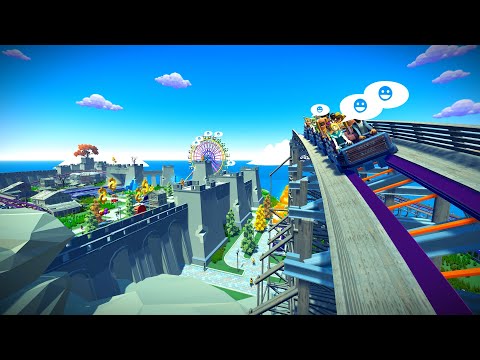
Real Coaster (by Raventurn Games) is an idle theme park management simulator where players build and expand amusement parks filled with roller coasters, Ferris wheels, water rides, and thrill attractions. Gameplay revolves around constructing rides, upgrading facilities, managing queues and staff, and balancing guest satisfaction with profit generation. Unlike many tycoon games, it lets players experience their creations through immersive first-person POV rides with multiple camera angles. Progression unlocks new parks and themed locations, encouraging strategic reinvestment, operational optimization, and the gradual creation of a global amusement park empire. The ultimate objective is to transform modest amusement grounds into a world-renowned entertainment empire featuring iconic, high-capacity attractions.

